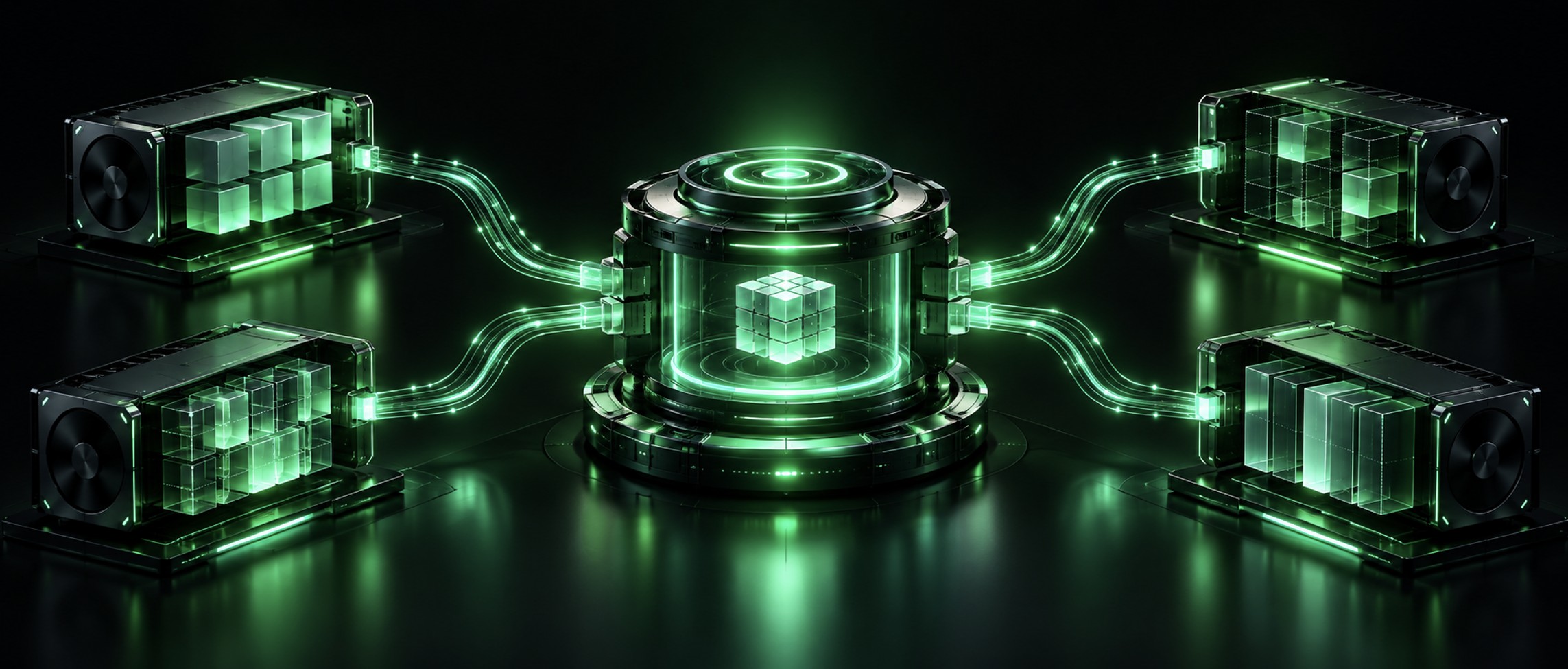

When the Run:ai open source news landed on October 13, Miami Mike‘s first move was to check that it was real. NVIDIA had promised this once already, when it closed the acquisition at the end of 2024, and what followed a few months later was the scheduler alone. This time it is the whole platform. The interface, the CLI, the API, the quota system and the dashboards are all sitting in public repositories.
If you have never touched Run:ai, that is normal. It lives in a layer of the stack most people never see, the one that decides which job gets which GPU and for how long. That layer is where a lot of very expensive hardware quietly goes to waste.
For anyone skimming: Run:ai is NVIDIA’s software for sharing GPUs across people and teams on Kubernetes. It splits single GPUs into fractions, queues jobs fairly, guarantees each team a share, and lends idle capacity to whoever needs it. As of October 13, 2026, the full platform is open source and free to download. NVIDIA support is still a paid product.
What is Run:ai
Run:ai is a GPU orchestration platform built on Kubernetes. It decides which jobs get GPUs and in what order, across a shared cluster that might serve one team or forty.
It exists because stock Kubernetes is bad at GPUs. The default scheduler treats a GPU as a whole number. A pod asks for one, gets the entire card, and keeps it whether it is crunching numbers or sitting in a notebook while its owner is at lunch. Kubernetes has no built in idea of teams, guaranteed shares, fairness over time, or a training job that needs all 32 of its pods to start together or not at all.
Lambda, which has supported Run:ai on its cloud since 2022, describes the pain plainly. Small jobs grab whole GPUs, capacity sits reserved and unused, and researchers wait behind someone else’s idle allocation. Anyone who has run a shared GPU cluster has watched it happen.
How does Run:ai work
Run:ai sits between your users and the cluster. People submit training, inference or interactive work through a UI, a CLI or an API, and Run:ai handles placement so nobody has to hand write pod specs. Underneath, a few ideas do most of the work.
Teams, quotas and borrowing idle GPUs
Admins carve the cluster into departments and projects. Each project gets a guaranteed quota, say eight GPUs for the research group and four for the inference team. When a project is not using its share, other projects can borrow it for work that is allowed to be interrupted. When the owner comes back, Run:ai preempts the borrowers and hands the GPUs back.
This is the feature that changes behavior. Teams stop hoarding GPUs because they no longer need to. Their guarantee is there whenever they show up, and the rest of the time the hardware does something useful for somebody else.
Run:ai GPU fractioning
A single modern GPU is far too much hardware for a lot of inference work. An embedding model or a small chat model can run happily on a slice of one. Run:ai lets a workload request a fraction, half a GPU or a quarter, so several workloads share one physical card.
The numbers are better than most people expect. In a joint benchmark NVIDIA and Nebius ran earlier this year on the commercial v2.24 release, a workload given half a GPU kept 77 percent of its full GPU throughput and served 86 percent as many concurrent users, 8,768 against 10,200, with time to first token under one second. Packing chat, reasoning and embedding models onto shared GPUs served roughly three times as many total users as giving each model dedicated cards.
Gang scheduling for training jobs
Distributed training has an annoying failure mode. A job needs 16 pods across several nodes, the scheduler starts 12 of them, and those 12 sit holding GPUs while they wait for the last four, which never arrive because the cluster is full. Gang scheduling treats the job as one unit. All of it starts, or none of it does.
Run:ai also understands the frameworks people actually use. Its pod grouper recognizes jobs from Kubeflow, Ray, Argo and the Training Operator and groups their pods automatically, so a data scientist submitting a Ray job never has to think about any of this.
How NVIDIA ended up owning Run:ai
The Run:ai NVIDIA acquisition closed out a six year run for a small Israeli company. Omri Geller and Ronen Dar met while doing electrical engineering doctorates at Tel Aviv University and founded Run:ai in 2018, with Geller as CEO and Dar as CTO. The early product was called Atlas and was pitched as the foundation for AI clouds that could span company data centers and public clouds.
It grew fast. In March 2022 Run:ai raised a $75 million Series C led by Tiger Global and Insight Partners, bringing total funding to $118 million, and said its annual recurring revenue had grown 9x in a year. By early 2024 it had about 130 employees and roughly 100 customers.
NVIDIA had worked with Run:ai since 2020, and the software was already integrated across DGX systems, NGC containers, Base Command and NVIDIA AI Enterprise. On April 24, 2024, NVIDIA announced it would buy the company and said it would keep selling Run:ai under the same business model for the immediate future. The price was never confirmed, though it was widely reported at around $700 million.
Regulators took their time. Italy’s competition authority pushed the European Commission to review the deal even though Run:ai’s revenue was too small to require it. The Commission cleared it without conditions on December 20, 2024, concluding NVIDIA would have neither the ability nor the incentive to break compatibility between its GPUs and competing orchestration software. The deal closed December 30, and in the same announcement the founders said they planned to open source the software so it could reach beyond NVIDIA hardware.
The first installment came on April 1, 2025, when NVIDIA released KAI Scheduler, the scheduling engine inside Run:ai, under the Apache 2.0 license. It later became a CNCF Sandbox project. The rest of the platform stayed commercial for another 18 months.
What the Run:ai open source release includes
According to NVIDIA’s announcement on its technical blog, the full source code lives under the NVIDIA DSX AI Factory organization on GitHub. The complete platform is also on NVIDIA NGC as a Community Product, with a Helm chart that installs the whole stack in one go. You can take it as a single platform or pull individual pieces out and use them on their own.
| Component | What it does | Notes |
|---|---|---|
| KAI Scheduler | The scheduling engine. Gang scheduling, fair share and quotas, bin packing, GPU sharing and preemption | Apache 2.0, CNCF Sandbox project, open since April 2025 |
| GPU Fractioning Operator | Splits GPUs using the fractioning built into CUDA 13.4, with metrics per pod | Works with schedulers other than KAI |
| KAI Resource Management | Projects, departments, nested quotas and node pools for clusters with mixed hardware | The organizational layer most teams were missing |
| Workload Map | Describes the structure of PyTorchJob, RayCluster, JobSet, KServe and Dynamo workloads so other tools can reason about them | A Go library. It describes workloads, it does not schedule them |
| Full platform | Everything above plus the UI, CLI, API, user management, access control and dashboards | Helm chart on NGC, no NVIDIA support included |
NVIDIA also pointed to two related open source projects. Model Streamer reads model weights in parallel and streams them straight into GPU memory to cut cold starts, and it is already built into vLLM and SGLang. On eight H100 virtual machines, Microsoft measured it loading three to six times faster than the default loader. Grove is a Kubernetes API for inference systems with many moving parts, and it ships as part of NVIDIA Dynamo.
The framing matters too. NVIDIA released Run:ai as the orchestration layer of its DSX AI Factory Platform, the reference stack it is pushing to anyone building GPU data centers, and Nebius describes it as part of DSX OS, the software layer that handles lifecycle management and running many tenants on one fleet. If you read my breakdown of the enterprise AI factory, this is the orchestration software line in that stack, now with no license fee attached.
KAI Scheduler vs Run:ai
This is the question I expect to hear most, because KAI Scheduler has been open source since April 2025 and plenty of people assumed that meant Run:ai was already open.
It was not. KAI Scheduler is the engine. It handles placement, fairness, quotas and preemption, and it is very good at that job.
What it lacked was everything a team needs to actually live on a shared cluster: the interface researchers submit jobs through, the CLI, the API, user and role management, the department and project hierarchy, and dashboards that show who is using what. Before October 13 you got the engine and built the car yourself. Now you get the car.
If you already run KAI Scheduler, the open platform uses it as its scheduling core, so the path forward looks like adding layers on top rather than replacing anything. I would still prove that on a staging cluster before touching production.
Is Run:ai free now
The code is free and the support is not. You can download the full platform without a paid Run:ai subscription, but the NGC Community Product comes with no NVIDIA enterprise support, and pulling it from NGC means accepting NVIDIA’s software license agreement and product terms.
Read the licensing carefully before anyone puts this in front of legal. KAI Scheduler is Apache 2.0. For the rest of the platform, NVIDIA’s announcement says only that the source is governed by its applicable open source licenses, without spelling them out per component. Check each repository before you promise a client anything.
The commercial versions are not going away. NVIDIA still sells supported Run:ai as a standalone product, inside NVIDIA Mission Control, inside NVIDIA AI Enterprise and through some cloud marketplaces, with terms that vary by offering.
So the real choice is the usual open source trade. Run it yourself and own every upgrade and every 2 a.m. outage, or pay someone to own that for you. The license line goes to zero, but as I argued in my piece on AI inference costs, the invoice was never the whole bill.
Why NVIDIA open sourced Run:ai
There are a few reasons, and only one of them made the press release.
The stated reason is reach. When the deal closed, the founders said open sourcing would let the software extend beyond NVIDIA GPUs to the whole AI ecosystem.
My read is that regulators mattered at least as much. This deal drew a European review that Run:ai’s revenue never required, and the Commission cleared it on the logic that NVIDIA could not use orchestration to lock out competing hardware. Handing the orchestration layer to the public is about the cleanest answer to that concern you can give.
Then there is the plain business case. NVIDIA makes its money on GPUs and the systems around them. Better scheduling means customers get more out of each card, and that makes the next rack easier to justify.
Eight DSX partners announced integrations on launch day: Crusoe, Mirantis, Nebius, OpenNebula Systems, Rafay, Saturn Cloud, Spectro Cloud and vCluster. Most of them sell NVIDIA GPU capacity or the software people use to manage it.
One honest caveat on the hardware neutrality story. The GPU Fractioning Operator now relies on fractioning built natively into CUDA 13.4, and Run:ai’s old proprietary approach has been retired.
That is good engineering and it makes fractions more standard. It also means the most valuable piece for inference shops is a CUDA feature. Open code and open hardware choice are different things, and I would not expect an AMD shop to get the same experience any time soon.
Why Run:ai open source matters for your GPU bill
Idle GPUs are the most expensive thing in AI that nobody puts on a slide. When I wrote about on premise AI inference, the point I kept landing on was that utilization decides whether owning hardware beats renting it. A box running at 30 percent costs more per useful answer than the API you were trying to get away from.
Run:ai goes straight at that number. Three small models can share one GPU instead of each holding its own, and the research team’s idle Tuesday afternoon becomes the inference team’s batch window. Gang scheduling matters less for shops that only serve models, but for anyone training across nodes it stops half started jobs from squatting on cards they cannot use.
Until this release, getting the full package, the team hierarchy and the interface people actually use, meant a commercial license or building it yourself around KAI Scheduler. Either way the math got harder for smaller clusters. Now the software line is zero and what remains is labor. The conversation moves from what the scheduler costs to whether your team can run Kubernetes well, and for a lot of organizations that second question has a less comfortable answer.
Who needs Run:ai and who can skip it
Most small businesses in South Florida do not need Run:ai, and I would talk you out of it. If your AI runs through an API, there are no GPUs for you to schedule. If your setup is a single workstation or a DGX Spark home lab, Kubernetes plus Run:ai is a lot of machinery to manage one box that one person uses.
It starts paying off when GPUs are shared by people who do not sit next to each other. The fit looks like this:
- A research group sharing a few GPU nodes among grad students, where whoever submits first currently wins
- An enterprise data science team whose GPUs sit idle overnight while the inference team runs out of capacity at noon
- A company serving several small models in production and paying for a full GPU per model
- A regional cloud or managed service provider that wants to sell GPU access to many tenants on one fleet
- Any organization that already runs Kubernetes and has someone on staff who enjoys it
Around here that usually means university research labs and the data teams inside larger hospital systems and enterprises. If you have a handful of GPUs, no Kubernetes experience in house and no plan to grow, skip it. At that size a shared calendar and a Slack channel do the scheduling for free.
How to install Run:ai open source
The direct route is the Helm chart on NGC, which installs the integrated stack onto an existing Kubernetes cluster with NVIDIA GPU nodes. You need someone comfortable with Kubernetes and Helm, because nobody else is on the hook if it breaks.
The easier route is a partner. Nebius already offers it as a one click application on its managed Kubernetes service. Crusoe has built it into Crusoe Managed Kubernetes, Rafay is expanding toward a fully managed version with self service catalogs, and vCluster has templates that give each tenant its own environment while Run:ai schedules the shared GPU fleet underneath. Lambda says it is working with NVIDIA to make Run:ai a first class option on its Kubernetes service, though that integration is not finished.
If you only want one piece, start with KAI Scheduler. It has been public the longest, it has a CNCF community behind it, and it gives you fair scheduling and GPU sharing without committing to the full platform.
What I am watching
I have not stood up the open source build myself yet. It went public on a Tuesday and this post followed right behind it, so everything above comes from NVIDIA’s documentation and the partner announcements rather than my own cluster.
The licenses come first. Apache 2.0 across the board would make this an easy recommendation, and anything more restrictive changes who can build a business on top of it.
I also want to see whether paying customers move. If the open build matches the commercial one feature for feature, NVIDIA is mostly selling support now, and some buyers will decide they can live without it.
NVIDIA is promoting DSX around GTC Berlin, which runs October 20 to 22, and I expect more detail there on how Run:ai fits with Mission Control and the rest of DSX OS. Longer term, the real test of the founders’ promise is whether anyone gets this running well on hardware that is not NVIDIA’s. I would bet against it for now and would be happy to lose that bet.
If you run a shared GPU cluster and end up deploying this, I want to hear how it goes.



[…] say the license covers self hosted Run:ai deployments only. That distinction matters more now that Run:ai open source is an option for teams that want the scheduler without a […]