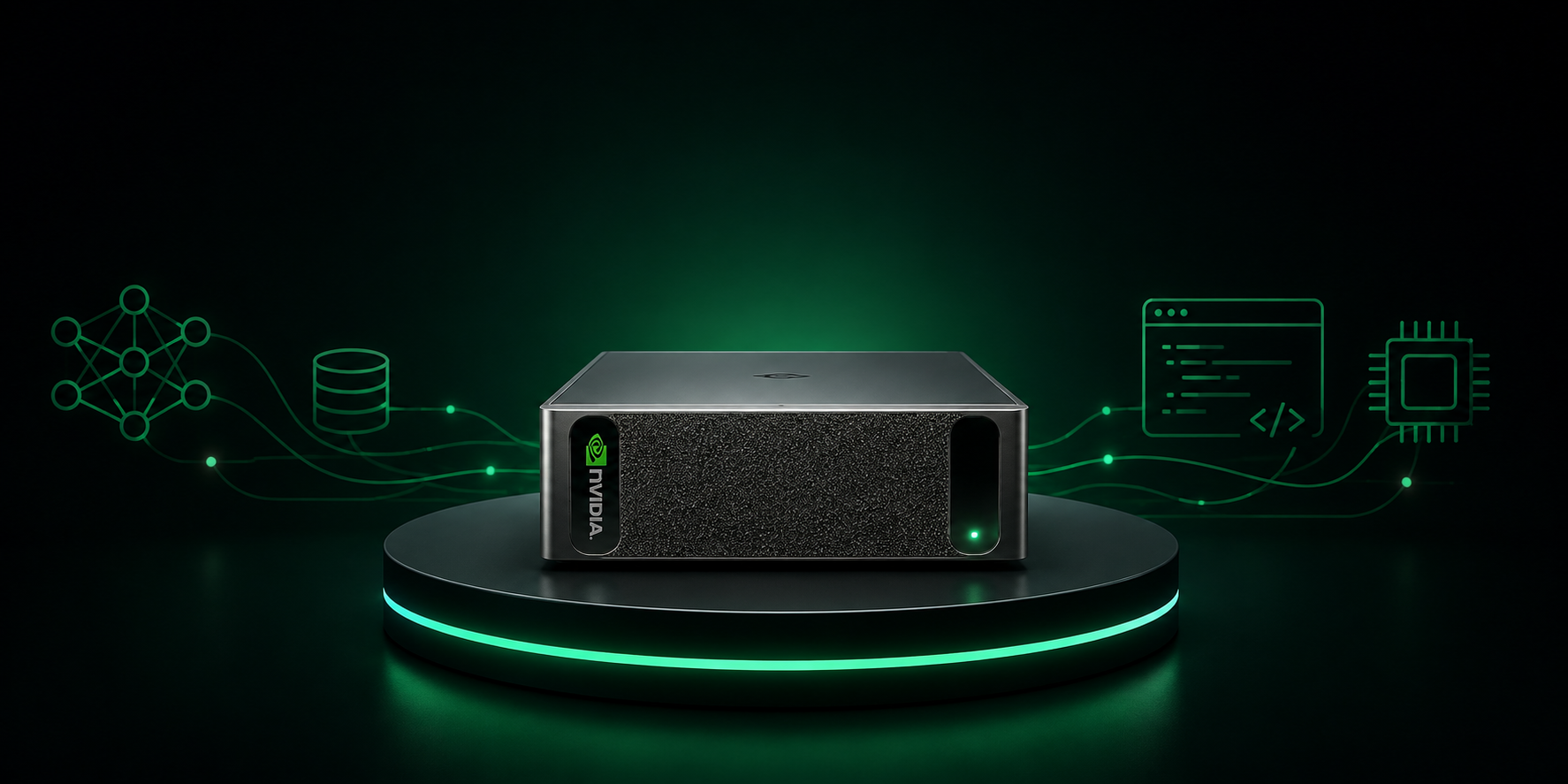

The DGX Spark Home Lab Guide: Everything You Need to Know Before You Buy One
I spend my days talking to companies about NVIDIA hardware, and the question I get asked more than any other has nothing to do with data centers. It’s this: “What can I actually run at home?”
For years the honest answer was frustrating. You could buy a gaming GPU and be limited by 16 or 24GB of VRAM, or you could spend server money and deal with server noise, server power, and server heat in your spare bedroom. The DGX Spark changed that conversation. It’s a 2.6 pound box the size of a Mac Mini that holds 128GB of memory the GPU can see, runs a full NVIDIA software stack out of the box, and sips power from a laptop-style brick.
This is the machine I recommend when someone serious about local AI asks me where to start. But it’s not perfect, it’s not cheap, and it’s not for everyone. So let’s go through all of it, from what’s inside the box to what you’ll actually run on it six months from now.
What the DGX Spark Actually Is
The DGX Spark started life as “Project DIGITS” when NVIDIA announced it at CES in January 2025 with a $3,000 price tag. By the time it shipped in October 2025, the price had climbed to $3,999 for the Founders Edition, and NVIDIA had opened the platform up to its OEM partners.
At the heart of every one of these machines is the GB10 Grace Blackwell Superchip. It pairs a 20-core Arm CPU, built with MediaTek, with a Blackwell-generation GPU on a single package, both fabricated on TSMC’s 3nm process and connected by NVLink C2C. That interconnect is the whole point. The CPU and GPU share one coherent pool of 128GB of LPDDR5X memory, which means the GPU can address far more memory than any consumer graphics card on the market.
Think of it as NVIDIA’s answer to what Apple did with unified memory on the M-series chips, except this one runs CUDA. That last part matters more than anything else on the spec sheet, and I’ll come back to it.
The Spec Sheet, Explained in Plain English
Here’s what you’re getting, and what each number actually means for your home lab:
CPU: 20 Arm cores. Ten Cortex-X925 performance cores and ten Cortex-A725 efficiency cores. Single-core performance is in the same neighborhood as Apple’s M4, which is to say very fast. This is not a weak host CPU bolted onto a GPU. It handles data prep, containers, and general Linux duty without breaking a sweat.
GPU: Blackwell architecture, 6,144 CUDA cores, 192 fifth-generation Tensor Cores. It supports the NVFP4 data type, which lets models run with a smaller memory footprint and better throughput than older INT8 quantization. NVIDIA markets the system at 1 petaFLOP of AI compute. That number only holds for sparse FP4 workloads, so treat it as a ceiling, not a daily reality. Dense FP4 is roughly half that. It’s still a serious amount of compute for a box this size.
Memory: 128GB LPDDR5X unified, roughly 273 GB/s of bandwidth. This is the headline and the asterisk in one line. The capacity is what lets you load models up to around 200 billion parameters in quantized form. The bandwidth is what limits how fast tokens come out. More on this in the limitations section, because it’s the single most important thing to understand before you buy.
Storage: up to 4TB NVMe on the Founders Edition. OEM versions vary, and some ship with 1TB or 2TB, which is worth checking because model weights eat disk space fast. A single large quantized model can be 60 to 100GB.
Networking: this is the sleeper feature. Beyond 10GbE and Wi-Fi 7, the Spark includes an NVIDIA ConnectX-7 NIC with 200GbE QSFP ports. That’s a network card that sells for around $900 on its own, built into a desktop machine. It exists for one reason: clustering. Two Sparks connected over ConnectX-7 can jointly run models up to 405 billion parameters, and as of NVIDIA’s March 2026 update, the platform officially supports scaling to four nodes, which pushes addressable model size to roughly 700 billion parameters for inference.
Size and power: 150mm x 150mm x 50mm, about 1.2 liters, fed by an external power brick. The chip runs around 140W under load. It sits on a desk, it’s quiet, and it won’t trip a breaker or heat up your office the way a multi-GPU tower will. If you’ve priced out what a 4-slot GPU workstation does to a Florida electric bill in August, you understand why this matters.
Operating system: DGX OS, NVIDIA’s customized build of Ubuntu, preloaded with the NVIDIA AI software stack, drivers, and CUDA. Every OEM version ships with the same OS, which is a big part of why the experience is consistent across brands.
The OEM Versions: Same Chip, Different Wrapper
NVIDIA didn’t keep GB10 to itself. You can buy essentially the same computer from eight vendors, and this is where you can save real money or solve specific problems:
- NVIDIA DGX Spark Founders Edition, $3,999 with 4TB. The reference machine with the gold finish and metal foam panels. It’s the nicest one physically. It’s also the most expensive way to get this chip.
- ASUS Ascent GX10. Launched at $2,999 with 1TB of storage, and it’s been the value play from day one. Same GB10, same 128GB, same ConnectX-7. If you’re comfortable adding your own storage or running a NAS, this is the one I point most people toward.
- Dell Pro Max with GB10. The thermal favorite among reviewers. Dell used a single large blower with front-to-back airflow that runs quieter than the Founders Edition and avoids throttling, and they ship a 280W power supply instead of 240W for extra headroom. If you want the most refined version of this platform, or you’re buying through corporate procurement, this is it.
- HP ZGX Nano G1n. Another quiet option, usually best at street price rather than list.
- Lenovo ThinkStation PGX. The enterprise procurement play, with Lenovo’s support behind it.
- MSI EdgeXpert MS-C931, Gigabyte AI TOP Atom, and Acer Veriton GN100. These tend to compete on storage per dollar, with the Acer offering 4TB at $3,999.
The core specs are identical across all of them: same superchip, same memory, same bandwidth, same DGX OS. You’re choosing between price, storage, cooling, and warranty. My honest take: the ASUS at its lower price point is the best value for a home lab, the Dell is the best engineered, and the Founders Edition is for people who want the reference machine on their desk and don’t mind paying for it.
Setting It Up: Your First Hour
The out-of-box experience is closer to setting up a Mac than building a PC, which is deliberate. Here’s the path I’d walk anyone through:
1. Initial boot. Plug in power and a monitor, keyboard, and mouse for first-time setup. You’ll walk through a standard Ubuntu-style setup wizard on DGX OS: create your user account, connect to Wi-Fi or Ethernet, accept the NVIDIA agreements. Ten minutes, tops.
2. Update everything immediately. Run system updates before you do anything else. This matters more than usual on this platform. Early units had a documented power delivery issue where systems would cap power draw and reboot under sustained load, which NVIDIA addressed with a firmware update in April 2026. If you buy one today, updating firmware and DGX OS on day one gets you past all of the early-adopter pain that the first wave of owners wrote about.
3. Go headless. After initial setup, most people run the Spark as an appliance, not a desktop. Enable SSH, and I strongly recommend installing Tailscale so you can reach the machine securely from your laptop anywhere, including outside your house. This turns your Spark into your personal AI server rather than another computer competing for desk space.
4. Verify the stack. Run nvidia-smi to confirm the GPU is visible, then confirm the Docker NVIDIA runtime works. Nearly everything you’ll deploy on this machine runs in containers pulled from NVIDIA’s NGC catalog or Docker Hub, so getting comfortable with Docker early pays off for everything that follows.
5. Bookmark build.nvidia.com/spark. NVIDIA treats this site as the single source of truth for the device, and it’s where the playbooks live. Which brings me to the part that actually makes this machine worth recommending.
The Playbooks: Why build.nvidia.com/spark Is the Real Product
Here’s the thing people miss when they compare the Spark to alternatives on specs alone. NVIDIA maintains a library of step-by-step playbooks specifically for this hardware, available at build.nvidia.com/spark with the source on GitHub under NVIDIA/dgx-spark-playbooks. Each one includes prerequisites, exact commands, troubleshooting guidance, and example code, all tested on this exact machine.
This is the difference between “here’s a computer, good luck” and “here’s a computer with a recipe book.” Some of what’s in there:
For your first weekend:
- Open WebUI: deploy a ChatGPT-style chat interface running entirely on your own hardware. This is the playbook I tell everyone to run first, because within an hour you have a private assistant with no subscription and no data leaving your house.
- DGX Dashboard: system monitoring plus JupyterLab, so you can watch what the machine is doing and start writing code against it.
- Ollama, llama.cpp, and LM Studio: the popular local model runners, each with a Spark-specific setup guide.
When you’re ready to go deeper:
- vLLM and SGLang: production-grade inference servers. This is how you serve a model as an API endpoint that your own apps, scripts, and automations can call.
- ComfyUI: local image generation with full workflow control.
- FLUX.1 Dreambooth LoRA fine-tuning: train an image model on your own subject matter.
- Unsloth and LLaMA Factory: fine-tune language models on your own data. This is where the 128GB of memory earns its keep, because fine-tuning workloads that would crash a 24GB consumer card fit comfortably here.
- CLI coding agents and multi-agent chatbots: build agentic workflows against local models.
- Isaac Sim and Isaac Lab: robotics simulation, if physical AI is your thing.
- Connect Two Sparks: the clustering playbook, when one box stops being enough.
The catalog keeps growing, and community forks add more on top. The practical effect is that the Spark has the shortest distance from unboxing to running real workloads of any AI hardware I’ve used.
What You’ll Actually Run on It
Let’s get concrete about workloads, because this is where the machine either fits your life or doesn’t.
Local LLM inference. This is the bread and butter. Models in the 20 to 70 billion parameter range quantized to 4-bit run comfortably with room to spare for long context windows. The optimized ceiling is around 200 billion parameters on a single unit. You can run a genuinely capable model as your daily driver assistant, connected to your documents, without a single token leaving your network. For anyone handling client data, contracts, or anything you’d rather not paste into a cloud chatbot, that’s the entire value proposition in one sentence.
Fine-tuning and LoRA training. The unified memory makes the Spark a legitimate fine-tuning box for small and mid-size models. Take an open model, train it on your company’s tone, your industry’s vocabulary, or your own writing, and serve the result locally. This workflow is nearly impossible on consumer GPUs at these model sizes.
RAG and document intelligence. Embedding models, vector databases, and an LLM all living on one box, indexing your own files. There’s even a playbook for building knowledge graphs from raw text.
Image and video generation. FLUX, Stable Diffusion, and ComfyUI workflows all run locally. The generous memory means you can keep multiple models loaded and run larger resolutions than a typical consumer card allows.
Agentic AI development. Coding agents, multi-agent systems, and always-on assistants that run 24/7 without an API bill. A machine that idles quietly at low power is exactly what you want for an agent that’s always working in the background.
Prototyping for bigger iron. This is the professional angle. The Spark runs the same NVIDIA AI stack as the data center hardware, so what you build and validate on your desk moves to DGX Cloud or a customer’s cluster without rewrites. If you work in this industry, that continuity alone can justify the purchase.
The Limitations: What I Tell People Before They Buy
I recommend this machine, but I’d lose credibility with you if I didn’t spell out where it falls short. Three things, in order of importance.
Memory bandwidth is the bottleneck. 273 GB/s is the number to remember. Token generation speed in LLM inference is largely governed by how fast the system can move weights through memory, and 273 GB/s is a fraction of what a discrete GPU with GDDR7 or an M-series Ultra chip offers. The practical result: the Spark can load huge models, but the biggest ones generate text at a reading pace, not an instant one. It’s a capacity monster and a bandwidth compromise. If your only goal is the fastest possible tokens on a 8B model, a gaming GPU beats it. If your goal is running models that don’t fit on a gaming GPU at all, the Spark wins by default.
It’s an Arm Linux box, and the ecosystem has edges. Most of the mainstream stack works great because NVIDIA has done the enablement work, and the playbooks paper over most of the rest. But you will occasionally hit a Python package without an ARM64 wheel, or a tool that assumes x86. There have also been software compatibility wrinkles specific to the GB10’s GPU architecture that forced some libraries onto older code paths at launch, though the situation has improved steadily since. If you want zero friction ever, this isn’t a zero-friction machine. If you’re comfortable in a terminal, none of this will stop you.
The price demands honesty about alternatives. At $2,999 to $3,999, the Spark competes with AMD’s Strix Halo mini PCs, which offer 128GB of unified memory for less money, and with used Mac Studios, which offer more memory bandwidth. Both are legitimate options for pure inference. What they don’t have is CUDA. The moment you want to fine-tune with standard tooling, run NVIDIA NIM containers, use the playbook library, or build skills that transfer to professional NVIDIA environments, the alternatives fall away. You’re paying a premium for the ecosystem, and in my view the ecosystem is worth it, but you should know that’s what you’re paying for.
Early thermal and power issues on launch units are worth mentioning for completeness, but current firmware has addressed them, and buying a Dell or HP variant sidesteps the concern entirely with better cooling designs.
Why It Belongs in Your Home Lab
Here’s my actual case for this machine, stripped of spec sheets.
The gap between people who talk about AI and people who build with it is getting wider every month, and the builders increasingly work locally. Local means private, it means no metered API anxiety, it means you can experiment recklessly at 2am without a bill showing up. Every skill the cloud providers abstract away from you, this machine forces you to learn: serving models, quantization tradeoffs, fine-tuning, containerized deployment, GPU monitoring. Those skills are exactly what the market is paying for right now.
The Spark is the first machine that packages all of that learning into something that fits on a desk, runs on normal power, ships with the industry-standard stack preinstalled, and comes with an official recipe book. My gaming PC taught me a lot, but its GPU hits a memory wall the moment I try anything ambitious. The Spark’s entire design exists to remove that wall.
And there’s a strategic angle. CUDA fluency compounds. What you learn on a $3,000 GB10 box is the same stack running on the eight-figure clusters being installed in every data center on the planet. No other home lab purchase gives you that direct a line from hobby to career.
The Bottom Line
Buy the DGX Spark, or more likely the ASUS or Dell version of it, if: you want to run models bigger than 24GB of VRAM allows, you care about privacy or work with data you can’t send to the cloud, you want to learn fine-tuning and model serving on the industry-standard stack, or you’re building AI skills professionally and want your home lab to match what enterprises deploy.
Skip it if: you only want fast chat with small models, you’re allergic to Linux and the terminal, or your budget stops at $2,000, in which case a used RTX 3090 or a Strix Halo box will serve you well until you outgrow it.
If you do pull the trigger, here’s your first week: update firmware and DGX OS, set up SSH and Tailscale, run the Open WebUI playbook from build.nvidia.com/spark, load a mid-size model, and point it at your own documents. By day seven you’ll have a private AI assistant running on your desk, and you’ll understand this technology at a level no amount of cloud tinkering can teach you.
That’s why I recommend it. Not because the marketing says petaFLOP, but because it’s the most complete on-ramp to serious local AI that exists right now, and it fits next to your router.



[…] teaches you more about your real quality bar and throughput needs than any vendor workshop will. My DGX Spark home lab writeup covers the cheapest version of that experiment, and the lessons scale up more cleanly than […]
[…] do. Its Brev Connect feature lets you register your own machines into the same console, so my DGX Spark home lab can sit next to a rented H100 in one interface, and I burn credits only when a job outgrows the box […]
[…] on something small before you sign anything. I run a DGX Spark home lab for exactly that, and it has killed more of my own bad ideas than any vendor deck ever […]
[…] you followed my DGX Spark home lab writeup, the Spark is the obvious anchor node. It sits on the network all day, it has the memory to […]